Maps are powerful tools for understanding our world, but their usefulness depends entirely on understanding scale. Whether you're planning a hiking trip, estimating drive times, or simply trying to grasp the size of a region, mastering map scales transforms how you interact with geographic information.
What Is Map Scale?
Map scale represents the relationship between distances on a map and the corresponding distances in the real world. It answers a fundamental question: "How much smaller is this map compared to the actual territory it represents?"
Every map is a scaled-down representation of reality. A map where one inch represents one mile has a very different scale than one where one inch represents 100 miles. Understanding this relationship is crucial for accurate navigation and distance estimation.

Types of Map Scales
Verbal Scale
The most intuitive form, verbal scales state the relationship in words: "One inch equals one mile" or "One centimeter represents five kilometers." These are easy to understand but become impractical when you need to enlarge or reduce a map.
Graphic Scale (Scale Bar)
A visual ruler printed on the map showing distances. Scale bars remain accurate even when maps are resized, making them the most reliable reference for digital maps that users zoom in and out of frequently.
Why Scale Bars Matter for Digital Maps
When you zoom in or out on a digital map, representative fractions become meaningless—but scale bars automatically adjust to remain accurate at any zoom level. Always look for the scale bar when using online maps.
Representative Fraction (RF)
Expressed as a ratio like 1:24,000 or 1:100,000. This means one unit on the map equals that many units in reality. A scale of 1:24,000 means one inch on the map represents 24,000 inches (2,000 feet) on the ground.
Large Scale vs. Small Scale
This is where many people get confused. The terminology seems counterintuitive:
- Large scale maps (like 1:10,000) show a small area with lots of detail. Think of it as the "1" representing a larger portion of the fraction.
- Small scale maps (like 1:1,000,000) show a large area with less detail. The "1" represents a smaller portion.
Choosing the Right Scale for Your Purpose
City Navigation (1:10,000 to 1:25,000)
For walking around a city, you need street-level detail. Large scale maps show individual buildings, small streets, and landmarks. This is the scale most smartphone navigation apps default to.
Regional Planning (1:50,000 to 1:100,000)
Planning a day trip or understanding how nearby towns relate to each other? Medium scales balance detail with coverage. You can see major roads, towns, and geographic features while covering a reasonable area.
State or Country Overview (1:250,000 to 1:1,000,000)
For understanding how major cities connect or planning long road trips, smaller scales show the big picture. Individual streets disappear, but you can see highway networks and major geographic regions.
The Zoom Level Connection
Digital maps use "zoom levels" instead of traditional scales. Zoom level 0 shows the entire world; each increase doubles the detail. Level 10 typically shows a metro area, level 15 shows streets, and level 18-20 shows individual buildings.
Calculating Real-World Distances
Using a Scale Bar
- Find the scale bar on your map
- Use a piece of paper or your finger to mark the distance between two points
- Compare that distance to the scale bar
- Calculate the real-world distance
Using Representative Fractions
With a scale of 1:100,000:
- Measure the map distance (e.g., 3 centimeters)
- Multiply by the scale factor (3 × 100,000 = 300,000 cm)
- Convert to useful units (300,000 cm = 3 kilometers)
Common Scale Misconceptions
Distances Are Not Always Straight Lines
Maps show "as the crow flies" distance. Real travel distances along roads are typically 20-40% longer due to curves, detours, and indirect routes. Always account for this when estimating travel times.
Scale Varies Across Projections
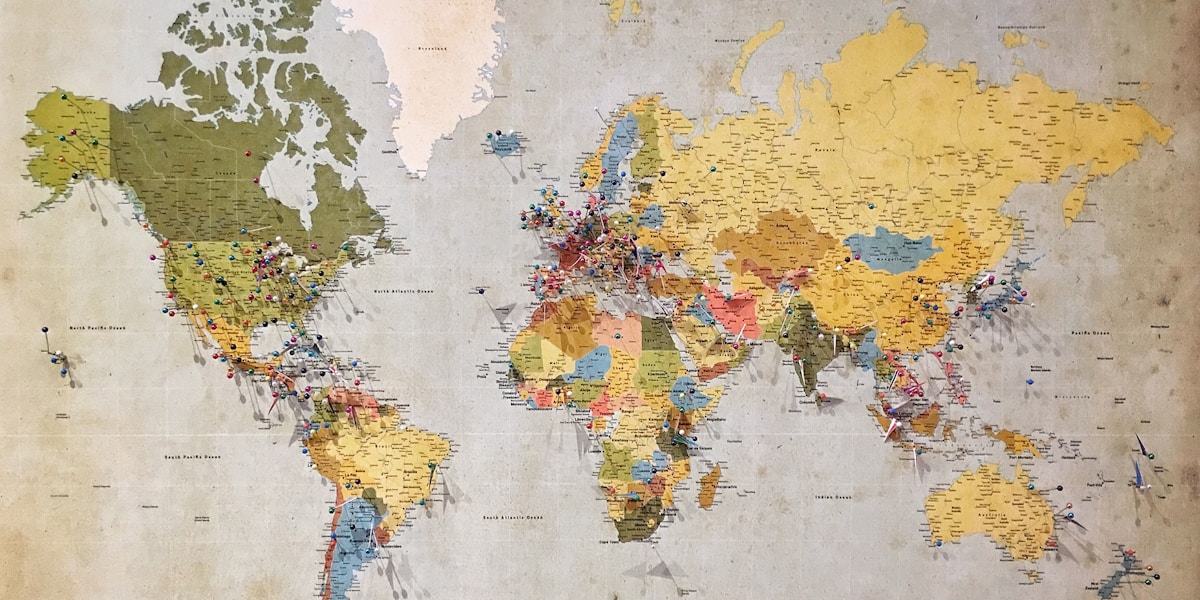
All flat maps distort the Earth's curved surface. The popular Mercator projection shows accurate shapes but increasingly distorts sizes away from the equator. Greenland appears as large as Africa on Mercator maps, but Africa is actually 14 times larger.
Digital Zoom Isn't Infinite Detail
Zooming in on a digital map doesn't create new information. At some point, you're just enlarging pixels. The underlying data has resolution limits—urban areas typically have more detailed mapping than rural regions.
Practical Applications
Hiking and Outdoor Activities
Topographic maps at 1:24,000 scale are the gold standard for hikers. Each map covers about 49 square miles with enough detail to show trails, elevation contours, and water features.
Real Estate and Property
Property boundaries require very large scale maps (1:1,000 or larger) where individual lots are visible. Parcel maps and surveys use these detailed scales.
Driving Navigation
Highway planning benefits from smaller scales showing route options, while turn-by-turn navigation requires constant scale adjustment from overview to street level.
Put Your Knowledge to Practice
Explore our interactive maps and see how scale affects your understanding of distances and routes.
Explore MapsKey Takeaways
- Map scale shows the relationship between map distance and real-world distance
- Large scale = small area, lots of detail; Small scale = large area, less detail
- Scale bars are the most reliable reference for digital maps
- Choose scale based on your purpose: navigation, planning, or overview
- Real travel distances are longer than straight-line map distances
- Be aware of projection distortions, especially for world maps